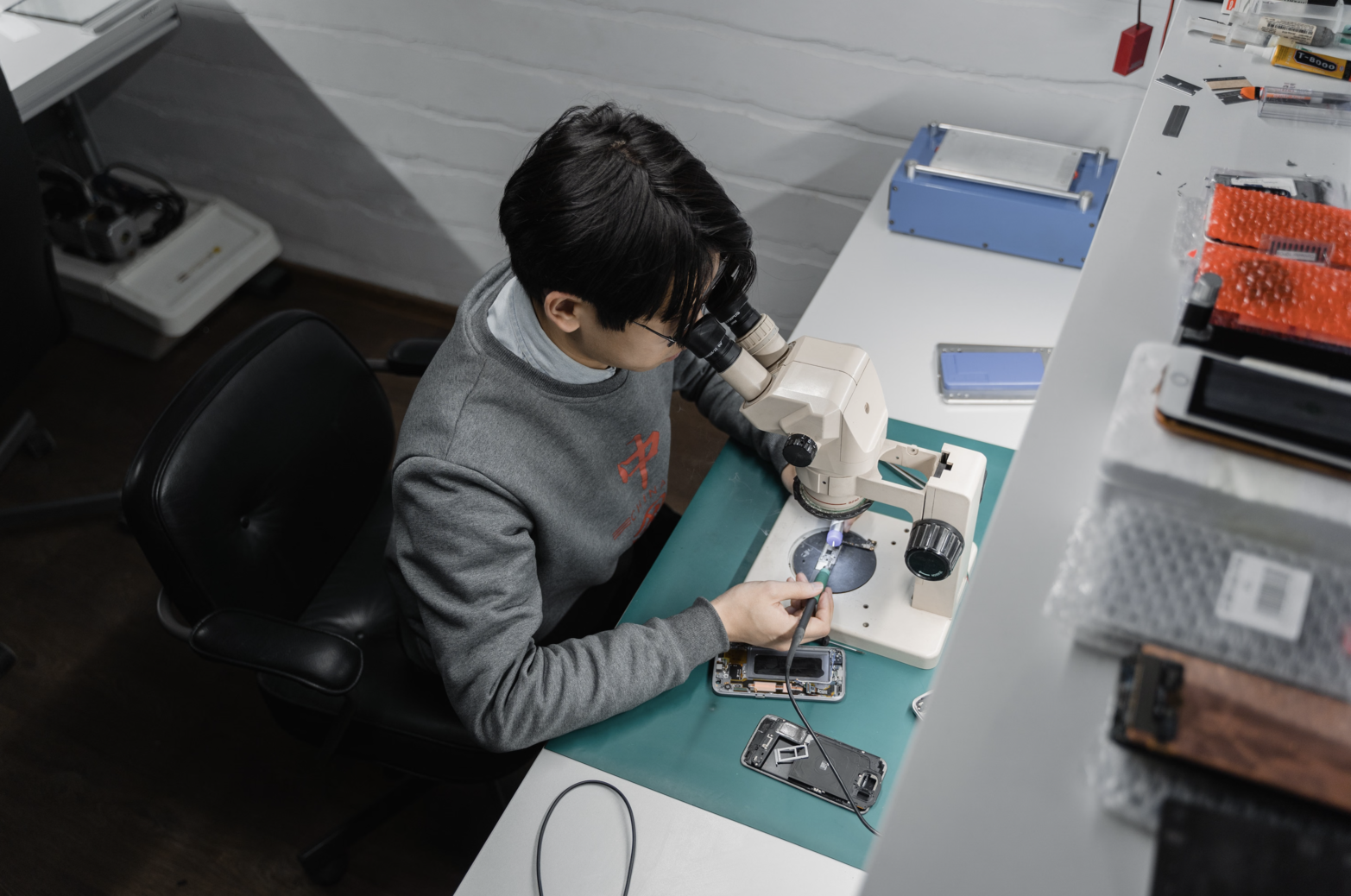
Smartphones have become an essential part of everyday life, which is why a damaged screen, weak battery, faulty charging port or broken camera can be a major inconvenience. However, replacing a phone does not always make financial sense. In many cases, replacing the damaged component can restore the device and extend its useful life.
This is where Phone Spare Parts come in.
From LCD and OLED screens to batteries, charging ports, cameras and back covers, there are many replacement components available for modern smartphones. However, choosing the right part is not simply a matter of finding the cheapest option that looks like it will fit. Compatibility, quality, part type and supplier reliability can all affect how well the repair performs.
Whether you are buying a replacement part for your own phone or sourcing components for repairs, this guide explains what to look for before making a purchase.
Phone spare parts are replacement components used to repair or restore a smartphone after a part has become damaged, worn out or faulty.
Some of the most commonly replaced components include:
The exact parts available will depend on the phone model. Two smartphones from the same manufacturer can have completely different internal components, connectors and dimensions, so identifying the exact device is an important first step.
Screen damage is one of the most common reasons people look for phone replacement parts. A cracked display, unresponsive touchscreen, dead pixels, lines across the screen or display issues may indicate that the screen assembly needs to be replaced.
However, not all replacement screens are the same.
Depending on the phone, you may encounter LCD, OLED, AMOLED or different aftermarket screen grades. LCD displays are commonly found on older and more affordable devices, while OLED technology is widely used in many newer and higher-end smartphones. OLED displays generally offer deeper blacks and strong contrast, while the specifications and performance of replacement panels can vary significantly.
When buying a replacement screen, check:
A screen that physically fits the phone is not necessarily the correct screen. Compatibility needs to be confirmed before installation.
Battery replacement is another common smartphone repair.
As a battery ages, its ability to hold a charge can decline. Users may notice shorter battery life, unexpected shutdowns, slower performance or other battery-related problems. A physically swollen or damaged battery should be treated as a safety concern and should not be used or installed.
When purchasing a replacement battery, check the:
Be particularly cautious of batteries advertised with unusually high capacities or vague descriptions. A battery should be selected based on the specifications required by the device rather than simply choosing the largest capacity available.
Because batteries are safety-critical components, professional installation is recommended if you are not experienced with phone repairs.
A phone that will not charge does not necessarily need a new charging port. The problem could also be caused by debris, a damaged cable, software issues, the charging circuitry or another internal component.
If the charging port itself needs replacement, the correct part must match the phone's internal design.
Depending on the model, the replacement may be a standalone port or part of a larger charging flex assembly. Check the connector, flex layout and compatibility with the specific device before purchasing.
Modern smartphones can contain multiple camera modules, including wide-angle, ultra-wide and telephoto cameras. A damaged camera module may result in focusing problems, blurry images, black screens or other camera failures.
When purchasing a replacement camera component, confirm whether you need:
It is important to identify the exact component that has failed rather than replacing the entire camera system unnecessarily.
Back covers and housings can be replaced when a phone has suffered cracks, severe scratches, dents or structural damage.
Although these components are primarily cosmetic and structural, correct fit is still important. Poorly fitted housings can affect buttons, cameras, wireless charging components or the overall assembly of the device.
If your phone has an original water or dust resistance rating, remember that opening and repairing the device can affect its original sealing. Replacement parts and adhesives alone do not necessarily restore the manufacturer's original protection.
Once you know which component needs replacing, there are several important factors to consider.
This is one of the most important steps.
Do not rely solely on the phone's marketing name. A single series can contain multiple variants with different screens, batteries, connectors or internal layouts.
Before ordering, check:
When in doubt, provide the supplier with the exact device information and ask them to confirm compatibility.
You may come across terms such as original, genuine, OEM, original pull, compatible, refurbished and aftermarket when shopping for Phone Spare Parts.
These terms are not always used consistently across suppliers, so do not assume that a label automatically guarantees a particular level of quality.
Original or genuine components are generally associated with the device manufacturer or its authorised supply chain. Other replacement parts may be manufactured by third-party companies and designed to meet the specifications of a particular phone.
Aftermarket parts can vary considerably in quality. For some repairs, a reliable aftermarket component may be a practical option, while other repairs may require a higher-grade component to maintain the expected functionality of the device.
The important thing is to understand exactly what you are buying rather than choosing based solely on terms such as "premium", "original quality" or "OEM grade".
Price is naturally an important consideration, but the cheapest Phone Spare Parts are not always the most economical choice.
A low-cost component may have differences in display quality, battery performance, fit, durability or reliability. If the part fails shortly after installation, the additional labour and replacement cost can make the original saving insignificant.
Instead of asking only, "How much does it cost?", consider:
"What am I getting for that price?"
Compare the part specifications, quality grade, supplier reputation, warranty and return policy alongside the price.
A reliable supplier can make the buying process much easier.
Before purchasing, look for:
For businesses and repair technicians, supplier consistency is particularly important because a defective or incompatible batch can result in delays, additional labour and unhappy customers.
Before installing any replacement component, it is good practice to inspect and test it where possible.
For example, a replacement display can be checked for image quality and touch response before it is permanently installed. Other components may require specific diagnostic tools or testing procedures.
Also inspect the part for:
If something does not look right, stop and verify the part before continuing with the repair.
A part can look almost identical to another model while having a different connector, dimension or internal configuration.
Solution: Always verify the exact model number before ordering.
A lower price does not tell you how well the component will perform.
Solution: Compare specifications, quality, warranty and supplier reputation, not just price.
Product descriptions can use terms such as "original quality" or "OEM quality" without clearly explaining the actual source of the component.
Solution: Ask the supplier exactly what type of part you are purchasing.
For example, a phone that is not charging may have a dirty port, damaged cable, battery problem or motherboard fault rather than a faulty charging port.
Solution: Diagnose the device before ordering a replacement component.
Modern smartphones are compact and contain delicate connectors, cables, batteries and components. Attempting a repair without the appropriate tools or experience can cause additional damage.
Solution: For complex repairs, particularly battery, motherboard or display work, consider using a qualified repair technician.
The cost of Phone Spare Parts is only one factor to consider.
Before deciding whether to repair your phone, consider:
A relatively minor repair can often be a practical way to extend the life of a device, particularly when the rest of the phone is still working well.
Repairing devices can also help reduce unnecessary electronic waste by keeping functioning hardware in use for longer. The Malaysian repair industry similarly highlights repair as a way of extending device life and reducing e-waste.
Buying a replacement component yourself can make sense if you have experience repairing phones or are purchasing parts for a repair business.
However, DIY repairs are not suitable for every situation.
If you are unfamiliar with smartphone disassembly, do not have the correct tools or are dealing with a damaged or swollen battery, professional assistance is the safer option.
For businesses and repair technicians, sourcing parts from a reliable supplier can help ensure that components are available when needed while reducing the risk of compatibility problems and repeat repairs.
Buying Phone Spare Parts is about more than finding a component that looks like the original. The right part needs to match the exact device, meet the required specifications and come from a supplier you can trust.
Whether you are replacing an LCD, installing a new battery, changing a charging port or repairing another component, take the time to verify compatibility, understand the quality of the part and check the supplier's warranty and return policies.
Most importantly, do not let a low price be the only deciding factor. A properly matched, reliable replacement part can help restore your phone's functionality and extend its useful life, while the wrong component can lead to poor performance, additional repair costs or further damage.
With a little research before you buy, choosing the right Phone Spare Parts becomes much simpler, and your repair has a much better chance of delivering the result you expect.

Quality replacement parts for your everyday devices, helping you get your phone back to its best.
© 2026 SSE Group SDN BHD (201901035860). All Rights Reserved.